Textures are usually the biggest chunk of memory in a project. This is how to keep resolution, compression, mips, and the streaming pool under control.
From the master checklist: use lower texture sizes than artists want. Most scene assets never fill enough screen pixels to justify 4K. A 4K BC7 texture with mips is ~21 MB; the 1K version is ~1.3 MB - a 16x saving that's usually invisible in game. Set Maximum Texture Size per asset (source stays high-res), assign correct Texture Groups so platform device profiles can scale everything for free, and reserve 4K for hero assets the camera gets close to.
| Check | Rule | Failure mode |
|---|---|---|
| Compression | Default for color, BC5 Normalmap for normals, Masks for packed data, BC7 sparingly | Normal maps as DXT1 shade blocky; uncompressed textures eat 4-8x memory |
| sRGB | On for color, off for data (normals, roughness, ORM) | Lighting subtly wrong everywhere |
| Mips | On for world textures; needs power-of-two sizes | No mips = shimmer + streaming can't work + full-res always resident |
| Never stream | Only for UI and special cases | Non-streaming world textures permanently occupy pool |
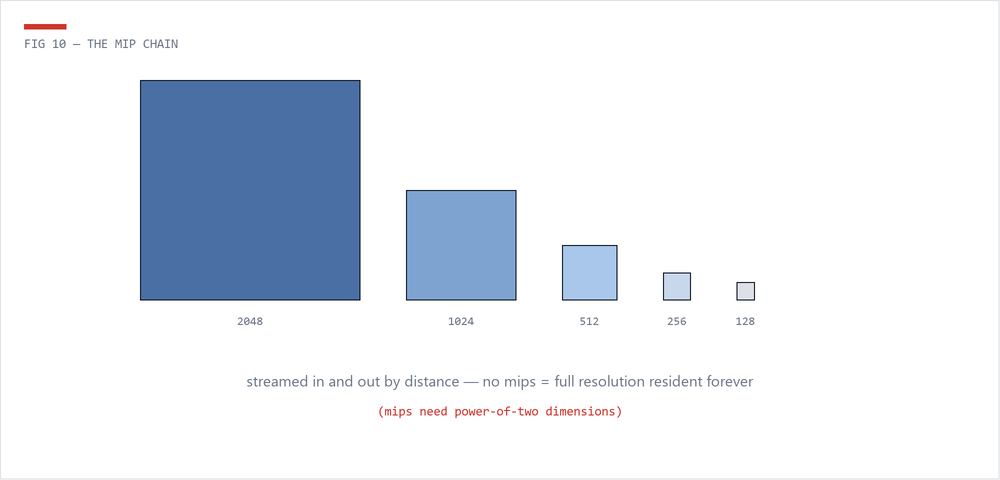
Unreal streams mips in and out of a fixed pool (r.Streaming.PoolSize). stat streaming tells you required vs available. When required exceeds the pool, textures go blurry - the correct fix is almost always reducing texture demand (sizes, groups, mips), not raising the pool, because the pool competes with meshes, audio, and gameplay for platform memory. Non-power-of-two textures can't mip or stream; they sit in memory at full resolution forever.
Nobody checks 3,000 textures by hand. Property Matrix (select all -> right-click -> Asset Actions -> Bulk Edit) fixes settings in bulk; the Asset Registry queries them by script - dimensions, format, sRGB, mip count, LOD group. That's exactly the texture pass in the Asset Health Dashboard: every oversized, wrongly-compressed, non-power-of-two, or sRGB-broken texture, ranked by wasted memory.
 The Technical Artist