 The Technical Artist
01What Simplygon Is
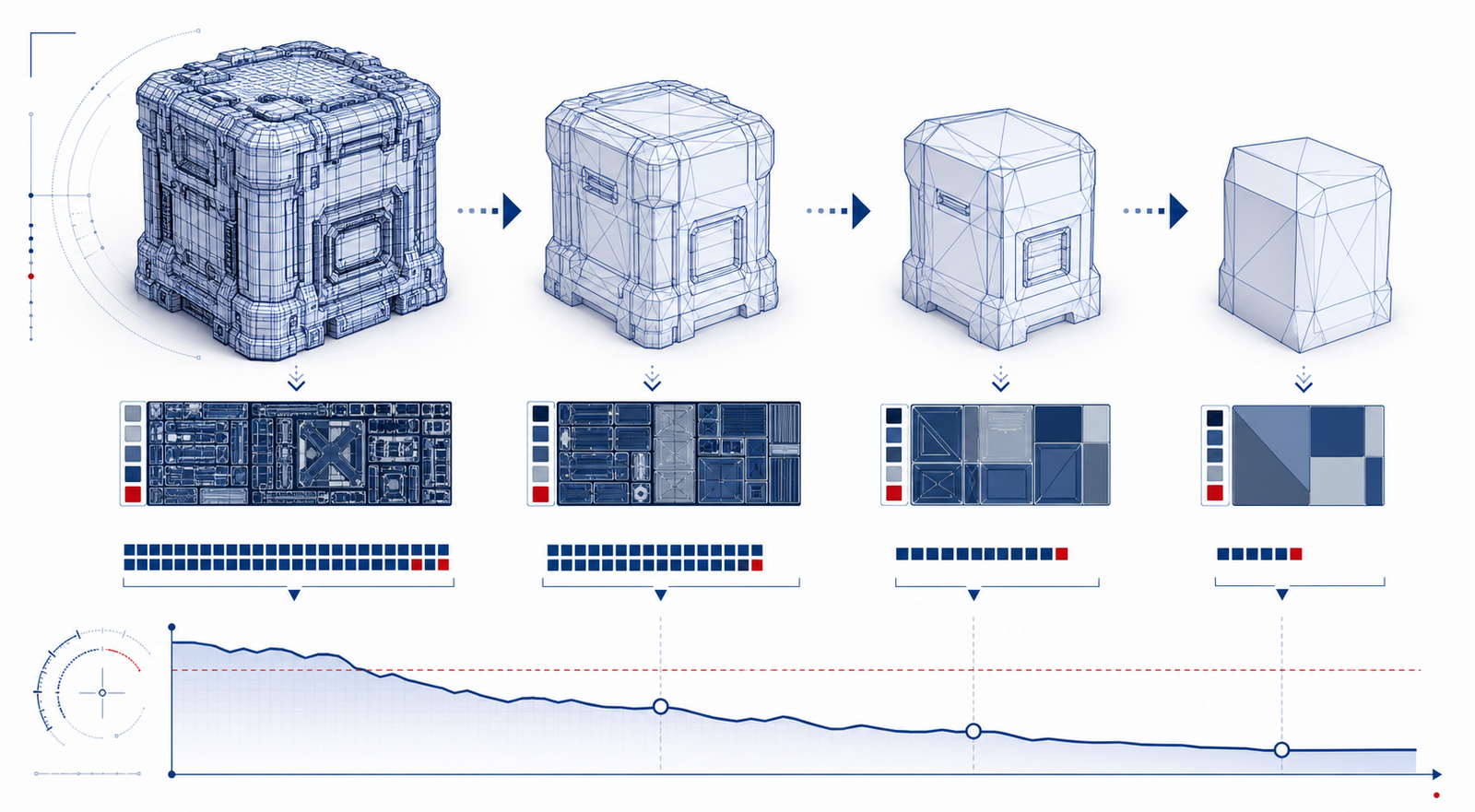
Simplygon takes heavy 3D assets and makes them cheap to render without making them look cheap. It's Microsoft's mesh optimization SDK, and it's been quietly making LODs for AAA games for well over a decade. The moment hand-made LODs stop scaling - and on any real project, they stop scaling fast - this is the tool everyone ends up at.
You can drive it from C++, C#, or Python, and there are plugins for Maya, Max, Unreal, and Unity. Everything on these pages uses the Python API from SDK 10.4, because Python is where TAs live.
The mental model is simple: it's a meat grinder for scenes. Geometry and settings go in one end, optimized geometry comes out the other - fewer triangles, merged meshes, baked materials, billboards, whatever you asked for. Same input plus same settings equals same output, every time. That "every time" is the whole point.
Reach for Simplygon when optimizing assets needs to stop being a thing one heroic artist does at 9pm and start being a pipeline step that just runs. If you'd script it, batch it, or put it on a build machine - that's a Simplygon job.
02Why Use It
Everyone assumes the win is fewer triangles. It's not - the real win is never doing it twice. When the source mesh changes (and it will, the week before the milestone), hand-made LODs rot. Scripted ones regenerate while you get coffee.
- Scale: point it at a folder, come back to a folder of LODs. No artist ever hand-decimates prop number 347.
- Frame time: triangles, draw calls, bone counts, hidden interior geometry - pick your poison, there's a method for each.
- Iteration: settings live in JSON files you version-control. Budgets change? Edit the file, rerun, done.
- Consistency: every asset gets the same rules, so LOD2 never depends on who made it or what day it was.
- The weird stuff: dense scans, modular characters, foliage billboards, HLOD proxies - there's a dedicated workflow for each, so you're not bending the wrong tool.
03The Optimization Methods
The right method depends on the cost you're trying to remove. Don't pick "reduction" by reflex. Pick the process that attacks the bottleneck.
| Method | Use It For | Preserves | Tradeoff |
|---|---|---|---|
| Triangle reduction | General static meshes and far LODs where topology doesn't need to stay artist-friendly. | Overall silhouette and existing materials, depending on settings. | Can create long triangles or topology that's unpleasant for editing. |
| Quad reduction | Subdivision-like or deformation-sensitive meshes where quad structure matters. | More editable topology flow than triangle reduction. | Less aggressive than triangle reduction and not right for every mesh. |
| High-density reduction | Very dense scans or CAD-like assets that need large triangle-count drops. | High-level shape while simplifying extreme input density. | Needs careful validation of normals, UVs, and baked maps. |
| Remeshing | Proxy meshes, HLOD-style assets, scans, and assets with messy topology. | Visual surface through new topology and baked material channels. | Replaces original topology, so it's not for deformation-friendly outputs. |
| Aggregation | Merging many objects to reduce draw calls while keeping their triangle shapes. | Original mesh topology more than remeshing does. | Triangle count may not drop unless paired with culling or reduction. |
| Material merging | Atlas creation, fewer material slots, lower draw-call pressure, and proxy/HLOD baking. | Rendered look through color, normal, roughness, metallic, opacity, or custom casters. | Needs channel discipline, UV validation, and texture-size budgeting. |
| Visibility culling | Removing occluded or never-seen interior/backside geometry. | Visible surfaces from configured cameras or visibility volumes. | Bad camera/occluder setup can remove geometry players later see. |
| Impostors and billboards | Very distant LODs for vegetation, props, architecture, and fixed-view assets. | Appearance from baked views rather than real geometry. | Works poorly when the player can inspect the asset closely or from unusual angles. |
| Bone reduction | Skeletal meshes where far LODs need fewer bones or lower skinning cost. | Important deformation behavior, depending on bone settings and weights. | Must be checked in animation, not only in bind pose. |
| Clustered meshlets | Renderer-specific mesh clustering or modern runtime rendering experiments. | Mesh content packaged for cluster-oriented rendering. | Needs engine-side support and a clear rendering reason. |
04Getting A License
Short version: everything starts at simplygon.com - the download, the license, the docs. Licensing terms shift over time, so treat their site as the source of truth, not this page (or any page that isn't theirs).
As of mid-2026 they offer a per-game-title license, an evaluation path, and discounted pricing for smaller indie studios - but seriously, check the live site before you promise your producer a number.
- Head to simplygon.com and poke around Pricing and Evaluate.
- Requesting an eval? Use your company email and be specific about what you're building - "we need LODs for a 2,000-asset open world" gets a faster yes than "just looking."
- Once you're in, grab the SDK installer - it bundles the Python bindings and the DCC plugins, and detects your Maya/Max versions on its own.
- Before you build anything on top of it, make sure the SDK actually initializes from Python on your machines. Five minutes now saves an awkward sprint review later.
Don't build half your pipeline on a trial install and then ask whether the license covers your build farm. Check the terms first - redistribution, CI machines, seat counts. Untangling a licensing surprise mid-production is nobody's favorite week.
05The Site Workflow
These pages follow the order most TAs actually learn this stuff in:
- Standalone Usage - pure Python, no DCC open. Import a scene, chew on it, export it, then batch a whole folder. This is where the muscle memory comes from.
- Maya Usage - the artist-facing side. Load the plugin, grab the selection, process it, drop the result back in the scene without anyone leaving the viewport.
- Tips - the stuff you'd otherwise learn the hard way: picking the right method, targets that don't lie, keeping materials intact, and why you always test characters in motion.