The unglamorous stuff that makes Unreal imports behave: scale, collision, LODs, texture settings, folder structure, names, and validation.
Unreal works in centimeters, Z-up, left-handed. Match that before modelling: Blender scene units to metric with 0.01 scale (or export at x100), Maya working units to cm. A human should land around 180 units tall. Get scale wrong and physics, lighting, LOD distances, nav, and designer intuition all inherit the mistake.
FBX is still the workhorse, though Interchange is the newer path. Either way, the habits are the same:
UCX_ prefixed meshes, or generate convex collision on import. Never use complex-as-simple collision on gameplay objects.The importer guesses from suffixes, so help it out: _D, _N, _ORM, and friends. Then check the four settings that matter on almost every texture:
| Setting | Rule |
|---|---|
| Compression | Default (BC1/BC3) for color; Normalmap (BC5) for normals; Masks (linear) for packed ORM; BC7 only when banding is visible |
| sRGB | ON for color/albedo; OFF for normals, roughness, metallic, masks, and anything that's data, not color |
| Mip maps | On for everything in the 3D world (needs power-of-two dimensions); off only for UI |
| Texture Group | Assign the right LOD group (World, Character, UI...) so platform scaling works for free |
A normal map imported with sRGB on (or wrong compression) shades subtly wrong forever. It's the most common texture defect in real projects - the Asset Health Dashboard flags it automatically.
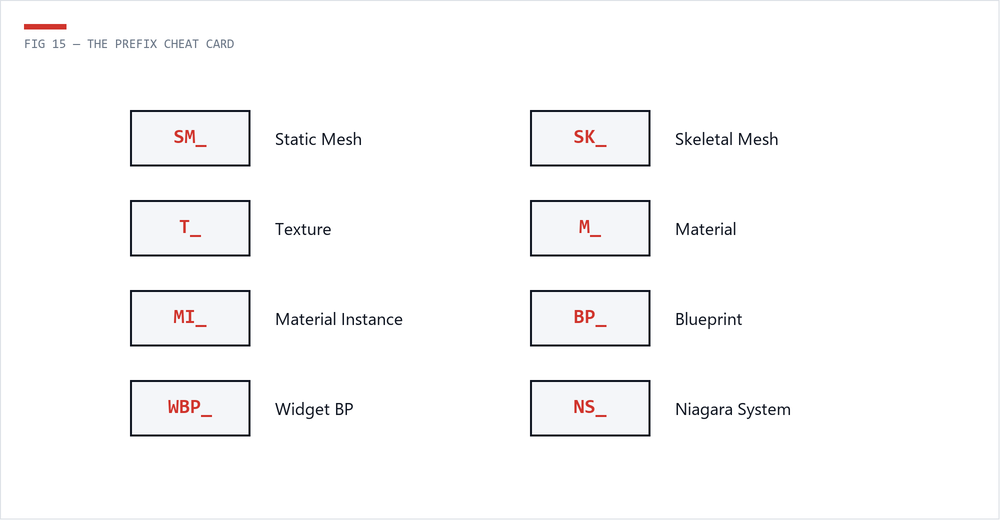
Prefixes look fussy until the Content Browser has 40,000 assets. Then they become mercy. They also make validation scripts easy:
| Prefix | Type | Prefix | Type |
|---|---|---|---|
SM_ | Static Mesh | M_ | Material |
SK_ | Skeletal Mesh | MI_ | Material Instance |
T_ | Texture | MF_ | Material Function |
BP_ | Blueprint | NS_ | Niagara System |
WBP_ | Widget Blueprint | DT_ | Data Table |
Structure Content/ by feature, not file type. /Weapons/Rifle/ should contain its meshes, textures, materials, and Blueprints together. References stay local, and migrating the feature later is much less painful.
Every rule above is scriptable. Big studios wire naming, texture settings, and LOD checks into imports or CI. You can start smaller: run the Asset Health Dashboard export weekly and treat the report like unit tests for the content pipeline.
 The Technical Artist